From Estimate to Go-Live
Most tools hand you a task list and call it a plan. ProVo PM makes the phase gate, the migration reconciliation and the readiness score first-class objects instead of a folder of documents beside the tool, and keeps them in sync for everyone working the plan at once.
Cloud by Default · Your Data Stays Yours · Every Tracker Exports as CSV
Used on client engagements including implementations of
The Gap
A Board Is Not a Method
You can build a go-live plan in a general work management tool. You can build one in a spreadsheet, and most people still do. What neither gives you is the part that actually matters: knowing whether the thing is safe to switch on.
Generic work management has no concept of a phase gate, a migration reconciliation, or a readiness score that is allowed to say no. So those live in a folder of documents beside the tool, and the tool slowly becomes a task list nobody trusts.
ProVo PM makes them first-class. The gate is a row in the plan. The reconciliation is a tracker with a variance column. The readiness score is weighted, and at 78% it tells you no.
- Gates are objects, not labels. Marked right in the plan, counted on the dashboard as open or closed.
- Loaded is not reconciled. Migration tracks source count, loaded count, variance and a separate human sign-off.
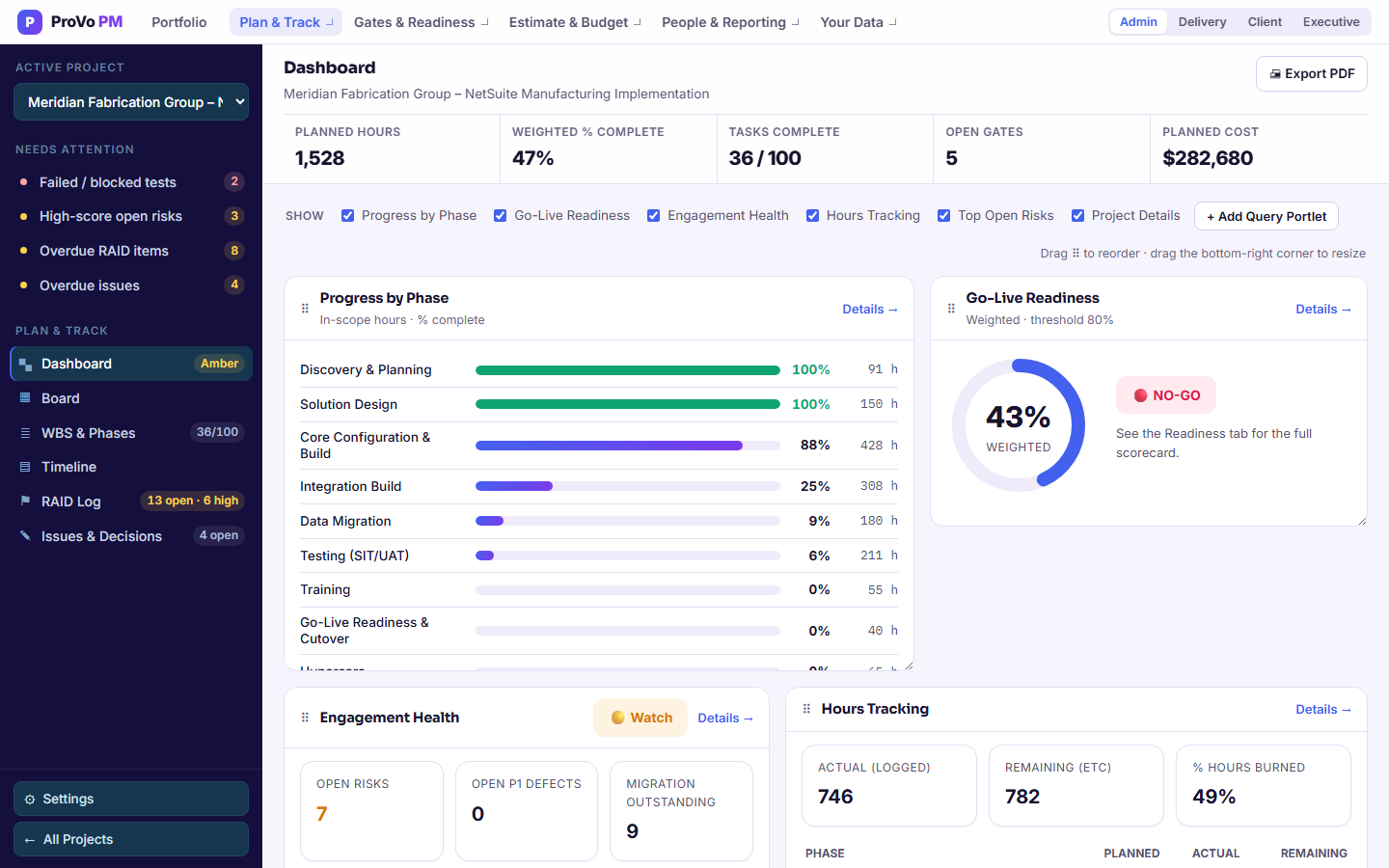
- Readiness can refuse. Score your own criteria from 0 to 100, weight them, and the scorecard shows NO-GO until the weighted score clears 80%. It warns you when the weights do not add up to 100%.
- "TBD" counts as nobody. The handover tracker treats a blank successor as an uncovered responsibility, on purpose.
- Unstaffed work gets named. Roles that carry planned hours with no one assigned to them are flagged on Capacity, and anyone over 100% is flagged too.
In the Box
Every Tracker · One Shared Plan
Not a set of tools that sync. One dataset with a window for each job, so a percentage typed on the plan moves the budget forecast, the dashboard and Friday's client report together, and every open screen picks up the change within seconds.
WBS & Phases
Type your task list or import it. Planned hours are baseline hours times a scope factor for this client, actual hours roll up from timesheets, and percent complete drives every roll-up. Bulk edit, resize columns, and add notes to any row.
Plan & TrackTimeline
A Gantt laid out from the phase plan and task hours, with workstreams running in parallel, bars that fill as work completes and a gold diamond on every gate. Pin real dates when you have them, zoom by month or week, and export to PDF or Excel.
See the TimelineRAID Log
Risks, assumptions, issues and dependencies in one log, scored impact by probability from 1 to 9, with owners, due dates and mitigation. Overdue and high-score items show under Needs Attention. Issues and decisions get their own dated record.
See the RAID LogReadiness
A weighted go/no-go scorecard across the dimensions you define. Eighty percent is the bar. The score is evidence for the decision, not the decision.
Gates & ReadinessTesting Tracker
Scenarios from unit test to UAT, each with a written expected result, pass, fail, blocked or not run, severity P1 to P3, tester and retest status. Executed count and pass rate are counted for you, and an open P1 turns the project red on its own.
See TestingData Migration
Object by object. Source count against loaded count, variance calculated for you, and a reconciled flag that only a person can set. Five states from not started to reconciled.
See MigrationEstimator & Budget
The estimate starts from the project's own workstreams and returns hours, price, cost, margin and duration before you sign. Update Plan & Budget writes it back to the plan and the budget in one step. Then track cost by phase, workstream and person, with actuals from logged hours and a live forecast at completion.
Estimate & BudgetCapacity, RACI & Timesheets
Demand from the plan against the capacity of people you actually have. One accountable person per workstream, checked. Actual hours come from logged time, and weeks are submitted and approved.
People & CapacityCustom Queries
Build a filtered, formula-driven view of any tracker, chain queries together, and post the result to the dashboard as a table, bar, line or pie chart. Export to Excel with the formulas intact.
See Custom QueriesHandover
The duties that never appear on a plan because they never finish: billing cycles, contract administration, portal renewals, audit support. Tracked to a named successor through five states.
See Handover“I'd been running go-lives out of a spreadsheet and a folder of document templates for nine years. The difference isn't the grid. It's that the grid already knew what a cutover needs.”
Pricing
Priced per Firm, Not per Person
Seats are included in the plan rather than metered one at a time, because a delivery team changes shape between projects and nobody wants to file a request to add a tester.
Practice
The extra seat on Firm costs less than the extra seat on Practice. That is on purpose: growing out of a plan should not be a penalty.
Start From a Plan That Already Knows the Rules
Open a project and every tracker is ready: phases, gates, RAID, testing, migration and a readiness scorecard, all wired to the same plan and waiting for your data. Pick an industry preset and rename any page or field to match how your firm talks.